SwitchBot's $119.99 Fan Makes Matter the Setup Bonus
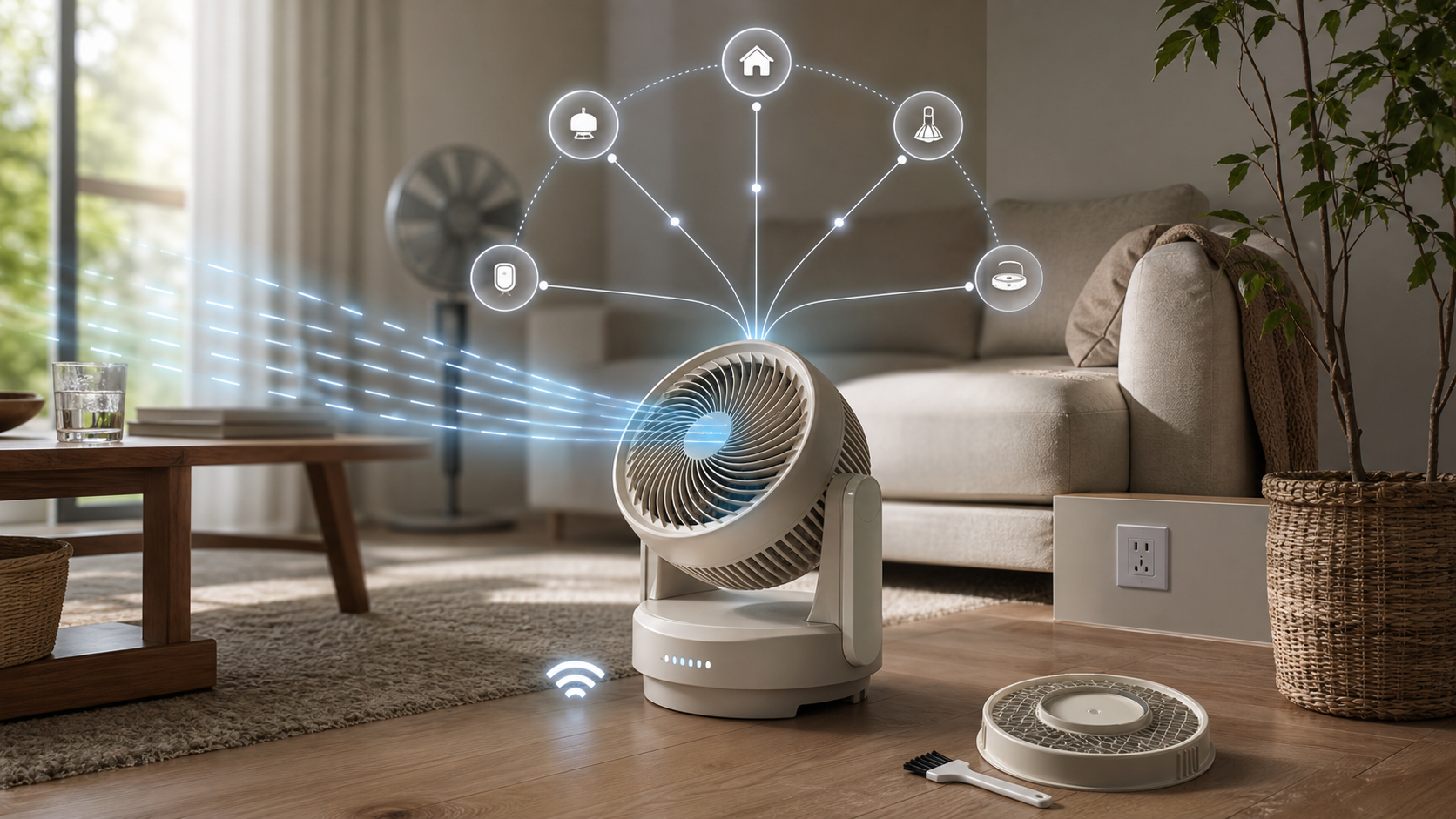
SwitchBot's Battery Circulator Fan 2 Pro fixes one of the least attractive parts of buying a connected appliance: it does not need another brand-specific hub to join a smart home.
The $119.99 fan uses Matter over Wi-Fi and SwitchBot lists Apple Home, Google Home, Amazon Alexa, Samsung SmartThings, and Home Assistant as supported platforms. That is meaningful interoperability. It is not, by itself, the reason to buy this fan.
The real decision is whether its compact, cordless design can move air where you need it—and whether its battery, placement, and maintenance tradeoffs fit the job.
Hub-Free Matter Is the Upgrade
The Verge reports that Matter is native on the Fan 2 Pro, so it can join a Matter controller without a separate SwitchBot Hub. That removes an accessory, an outlet, and one extra failure point from the setup.
It also changes the pre-purchase checklist. This is Matter over Wi-Fi, not Matter over Thread. Check Wi-Fi coverage where the fan will actually sit, then verify the exact controls exposed by your preferred platform. SwitchBot confirms the five major ecosystems, but its support page does not promise that every controller gets identical access to speed, oscillation, modes, schedules, or other app features.
Commission the fan before building automations around it. Confirm basic power, speed, and oscillation controls; unplug the hub or internet connection you expect it to survive; and observe what still works. The checked documentation does not establish fully offline behavior, so local-control buyers should test rather than assume.
The 70-Hour Number Needs Context
SwitchBot rates the built-in battery for up to about 70 hours on speed level 1 after a full charge. The Verge reports about four hours at maximum speed. Those numbers describe very different uses.
Low speed can make sense for quiet overnight circulation or steady air movement near a desk. Maximum speed is closer to a same-day, recharge-afterward setting. A buyer planning to move air across a hot room should budget around the demanding setting, not the best-case headline.
The fan can run from its battery, USB-C power, or AC power. That makes charging access part of placement: cordless operation is useful, but a nearby outlet or power bank matters if the fan will work hard for hours.
SwitchBot says the unit suits indoor spaces up to about 50 square meters, while warning that layout and conditions affect performance. A claimed room size cannot account for closed doors, tall furniture, corners, or where people actually sit. Test the intended route for airflow before treating the square-meter figure as coverage.
Compact Also Means Low
Unlike SwitchBot's height-adjustable standing fan, the Fan 2 Pro is a compact floor or surface unit. The Verge says it trades away the adjustable stand while improving claimed wind speed, throw distance, and battery life.
That is a good exchange for a bedroom floor, home office, balcony, or tent only if the air can be aimed at the occupied zone. If the fan must clear a sofa arm, bed frame, or desk edge, the lack of height adjustment may matter more than Matter.
Use a simple placement test before buying: identify the exact surface, measure the height of nearby obstructions, confirm dry charging access, and decide whether 90-degree vertical and horizontal oscillation can cover the target area from that position.
Maintenance and Outdoor Limits
SwitchBot says the filter does not need replacement, but recommends cleaning it every two to four weeks so hair and dust do not reduce airflow. That avoids a recurring filter purchase, not recurring maintenance. Pet hair or a dusty room may justify more frequent checks.
The company also says the fan can be used outdoors because it is portable and battery-powered, but it must remain away from water and conditions where it may get wet. "Outdoor" does not mean weatherproof. Keep it out of rain, splash zones, damp storage, and unstable locations, and follow the manual when powering down and cleaning the unit.
Buy the Fan, Not the Badge
At $119.99 on SwitchBot's U.S. store on July 31, the Fan 2 Pro is easiest to justify when three things are true: you need cordless circulation, its low form factor fits the room, and native Matter saves you from adding a SwitchBot Hub.
If those needs are absent, a simpler fan may solve the same comfort problem for less. Matter makes this product easier to integrate. The battery curve, physical placement, and airflow still determine whether it is the right fan.
- https://us.switch-bot.com/products/switchbot-battery-circulator-fan-2-pro - https://support.switch-bot.com/hc/en-us/articles/41506621182999-Can-SwitchBot-Battery-Circulator-Fan-2-Pro-Connect-to-Smart-Home-Platforms-via-Matter - https://support.switch-bot.com/hc/en-us/articles/41506556521623-How-Long-Can-SwitchBot-Battery-Circulator-Fan-2-Pro-Run-on-Speed-Level-1 - https://www.theverge.com/tech/972986/switchbot-makes-a-better-fan - https://support.switch-bot.com/hc/en-us/articles/41506608427415-Does-the-Filter-on-SwitchBot-Battery-Circulator-Fan-2-Pro-Need-to-Be-Replaced-or-Cleaned - https://support.switch-bot.com/hc/en-us/articles/41506608330391-Can-SwitchBot-Battery-Circulator-Fan-2-Pro-Be-Used-Outdoors - https://support.switch-bot.com/hc/en-us/articles/41506577484823-What-Power-Supply-Methods-Does-SwitchBot-Battery-Circulator-Fan-2-Pro-Support - https://support.switch-bot.com/hc/en-us/articles/41506587731351-What-Room-Size-Is-SwitchBot-Battery-Circulator-Fan-2-Pro-Suitable-for - https://support.switch-bot.com/hc/en-us/articles/41506608353303-Which-Parts-of-SwitchBot-Battery-Circulator-Fan-2-Pro-Can-Be-Removed-for-Water-Washing