SmartThings API Fees Are a Cloud-Control Warning
Samsung's new SmartThings API pricing should not be read as a panic alert for every SmartThings user. If the only thing you do is open the SmartThings app and control certified devices, Samsung says this update does not affect that normal app experience.
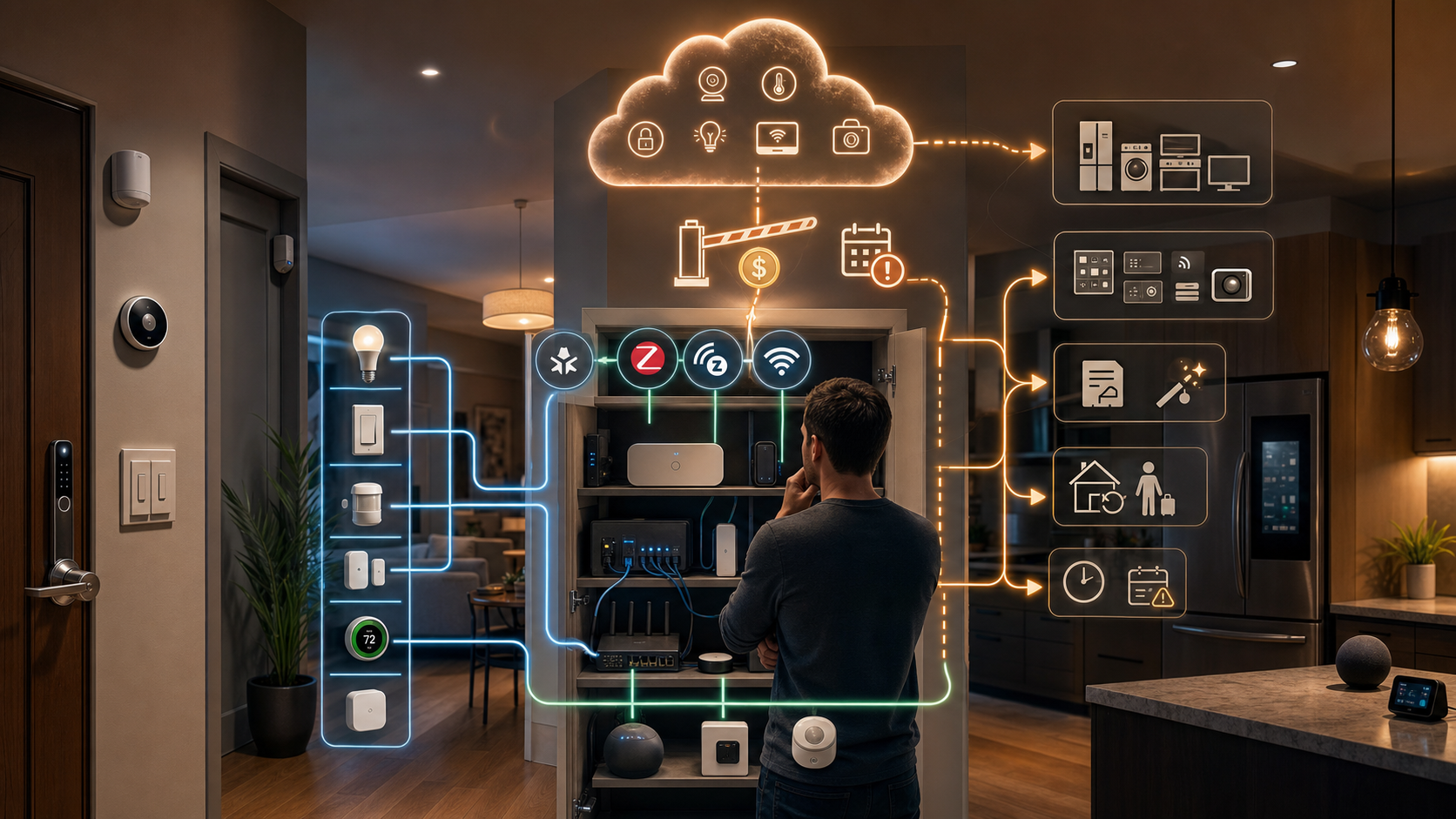
The warning is for homes where SmartThings is part of a larger control system. If SmartThings feeds Home Assistant, a custom dashboard, a rental-management workflow, appliance notifications, or scripts that depend on Samsung's cloud API, the economics and reliability plan are changing.
What changed
SmartThings says it will introduce paid commercial API tiers and a $4.99/month personal plan for non-commercial individual developers. Free access remains available through Q3, and SmartThings says new usage limits or free-access phase-out will not begin until October 2026.
The company frames the change as infrastructure funding for a larger platform. Its API is not just a small hobby endpoint; SmartThings says it supports a multi-protocol ecosystem that includes Matter, Cloud-to-Cloud, Zigbee, and Z-Wave, plus Samsung device states, controls, and health data.
That scope is exactly why this matters. The API can sit between a smart home and the automations people actually rely on.
Why Home Assistant users should audit now
Home Assistant's SmartThings integration page now warns about an October 2026 breaking API change. It says SmartThings API access will require Samsung's Personal Plan at $4.99/month after free access is phased out, and that users should either subscribe or migrate devices before October 2026 to avoid disruption.
This is not a niche category. Home Assistant documents SmartThings support across binary sensors, climate, covers, events, fans, lights, locks, sensors, switches, updates, vacuums, valves, water heaters, and more. A household might use SmartThings only for a washer notification. Another might use it for locks, HVAC, leak alerts, and appliance status.
Those two homes should make different decisions.
The buyer lens
The first question is not "Is $4.99 too much?" It is "What stops working if this cloud path changes?"
For a single convenience notification, paying may feel silly but migration may be easy. A power-monitoring smart plug, a local automation, or a direct Zigbee or Z-Wave path may replace the feature.
For Samsung appliances or devices whose useful capabilities only appear through SmartThings, migration can be much harder. Matter support does not automatically mean every appliance feature can be commissioned directly into every controller. A refrigerator, washer, air conditioner, TV, or robot vacuum may expose richer state through the vendor cloud than it does through a local standard.
That is the real purchase lesson: buy connectivity, not just hardware. Before buying an expensive connected appliance, check whether the functions you care about work locally, through Matter, through a hub you control, or only through a vendor cloud account.
What to check before October
Start with an automation inventory. List every SmartThings device that appears in Home Assistant or another third-party tool. Mark the ones that affect safety or daily reliability: locks, leak sensors, alarms, climate, garage doors, water valves, and appliance alerts.
Then separate local devices from cloud-only devices. Some Zigbee or Z-Wave devices may be movable to another controller. Some Matter devices may have a better direct path. Some Samsung appliance features may not have a clean substitute.
Finally, decide whether each dependency is worth paying for. A paid API is not automatically bad if it is reliable, documented, and actively maintained. The problem is finding out after a deadline that a critical routine depended on a free cloud path with no fallback.
Privacy and resilience
Cloud integrations are convenient because they make remote access, account linking, and device state sharing easier. They also mean commands and home-state data depend on vendor infrastructure, vendor policy, and vendor pricing.
Local control is not magic. It still needs secure devices, good backups, and a maintained controller. But it gives buyers more leverage. A local light switch, sensor, or lock integration is less exposed to a platform owner changing API terms years after the hardware was installed.
The takeaway
SmartThings' API change is not a reason to rip out a working home. It is a reason to stop treating cloud integrations as permanent infrastructure.
If SmartThings is just your app, keep watching for Samsung's transition details. If SmartThings is part of your Home Assistant backbone, use the time before October 2026 to audit every dependency, move easy devices to local control, and reserve the paid plan for the devices or appliance features that genuinely need Samsung's cloud.
The best smart-home setup is not the one with the most logos on the box. It is the one where you know what still works when a cloud policy changes.
- https://blog.smartthings.com/smartthings-updates/a-new-enhanced-smartthings-api-experience/ - https://www.home-assistant.io/integrations/smartthings/ - https://www.theverge.com/tech/957597/samsung-smartthings-api-charges - https://www.matteralpha.com/industry-news/samsung-puts-a-5-paywall-on-home-assistant-integration-monthly