SwitchBot's Weather Station Is a Calendar Panel First, Matter Controller Second
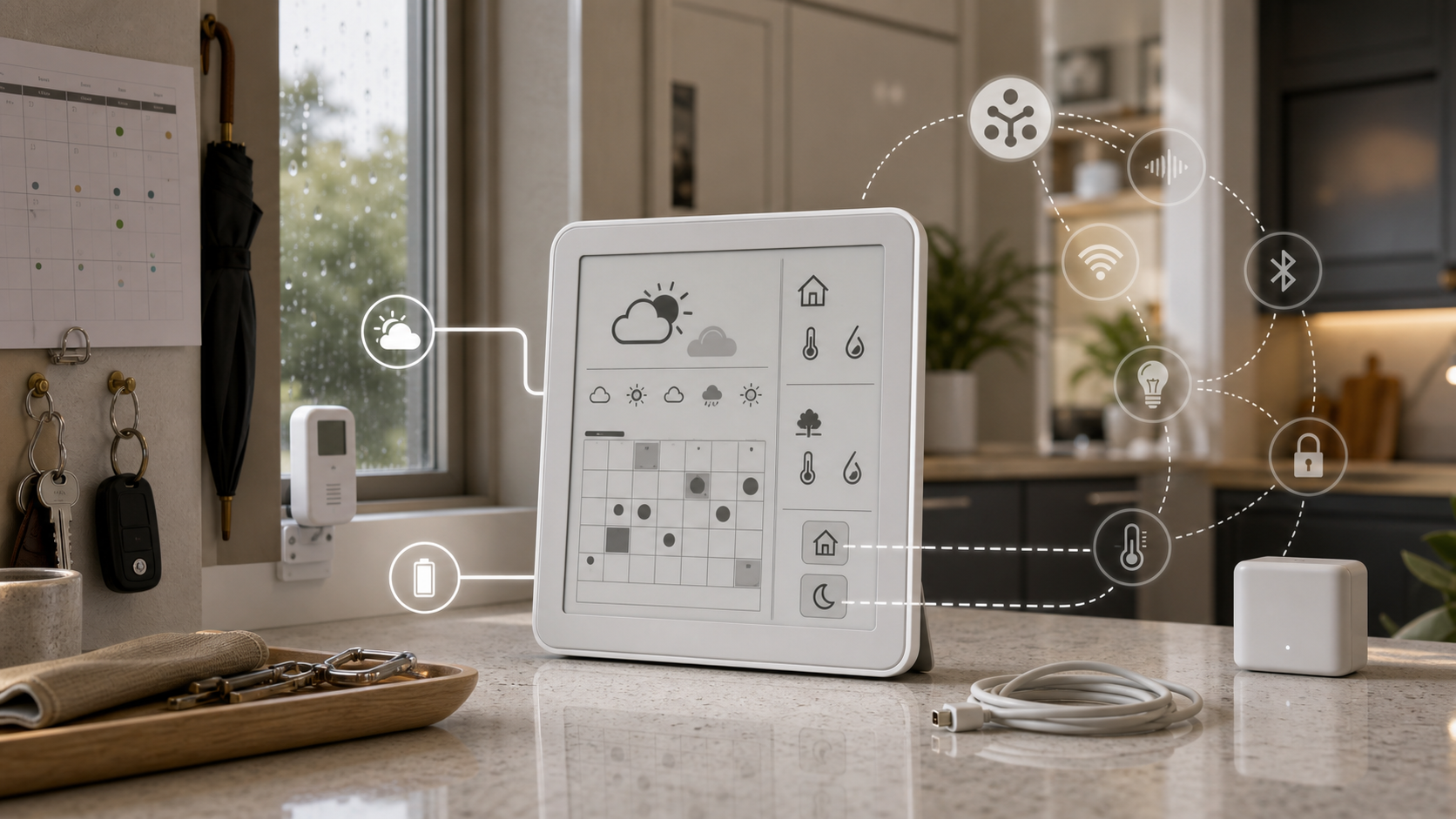
SwitchBot's new Weather Station looks like the kind of smart-home gadget that could be mistaken for a tiny hub. The better way to read it is more specific: it is a low-power e-ink weather and calendar board with a couple of smart-home buttons attached.
That distinction matters before anyone buys it for a kitchen counter, entryway, bedroom, or family command center.
What It Actually Does
SwitchBot's product page lists the Weather Station at US$109.99, with bundles that add an Outdoor Meter or a Hub Mini Matter. The hardware is built around a 7.5-inch monochrome e-ink display with 800x480 resolution and no touchscreen. Specs list 2.45GHz Wi-Fi plus BLE, Type-C power or a 3.7V 5000mAh battery, and up to one year of battery life.
The display can show weather, indoor and outdoor temperature and humidity, a five-day forecast, air quality, sunrise and sunset, alarms, and calendars. SwitchBot says it can sync Google, iCloud, Outlook, and Yahoo calendars for up to five family members. That makes the product as much a household planning display as a weather station.
HomeKit News and T3 both framed the calendar as a major part of the launch. That is the right lens. A glanceable e-ink board can be more useful than another phone notification if the household wants shared routines visible in one place.
The Matter Part Is Narrower
The Weather Station also has two customizable scene buttons. SwitchBot says those buttons can trigger whole-home scenes such as lights, air conditioning, or curtains. HomeKit News reports that when the device is paired with a Matter-enabled SwitchBot Hub, the two buttons can be exposed as programmable Matter controls in Apple Home and other Matter platforms.
That is useful, but it is not the same as saying the whole display becomes a native Matter dashboard.
SwitchBot's Matter support page describes two paths: Matter over Wi-Fi for certain products and Matter over Bridge for accessories that need a compatible SwitchBot bridge device. It lists Apple Home, Alexa, Google Home, and SmartThings as controller ecosystems, and it lists Hub Mini Matter Enabled, Hub 2, Hub 3, and AI Hub among compatible bridge devices.
The practical takeaway: if your goal is to press a physical button and run a scene in another ecosystem, the Weather Station may fit. If your goal is to expose every weather, calendar, or sensor field as a clean native object in every platform, verify that before buying.
What To Check Before Buying
First, decide where the display belongs. E-ink is good for always-on information, but a non-touchscreen board works best when the layout can stay mostly stable: family calendar, forecast, indoor readings, alarms, and a few routine controls.
Second, check the sensor plan. HomeKit News reports support for the built-in temperature and humidity sensors plus up to three compatible SwitchBot environmental sensors over Bluetooth. That is a useful setup for a nursery, garage, greenhouse, pet area, or bedroom, but range and placement still matter.
Third, review calendar privacy. A shared wall or counter display can expose appointments, school schedules, medication reminders, travel, and work blocks to anyone nearby. Connect only the calendars that make sense for the room.
Fourth, budget for the ecosystem you actually need. If Matter control is part of the reason to buy, make sure a compatible SwitchBot hub is in the plan and test the exact controls in Apple Home, Google Home, Alexa, SmartThings, or your chosen Matter setup.
The Takeaway
SwitchBot's Weather Station is most compelling as a quiet household information panel: weather, calendar, environmental readings, reminders, and a couple of physical scene buttons.
It is less compelling if you are really shopping for a full smart-home dashboard, a touchscreen controller, or a device that makes every displayed data point portable across Matter. For the right household, the $109.99 device could reduce app-checking and make routines more visible. Just buy it for the display and calendar first, and treat Matter control as a useful extra that needs hub and platform verification.
- https://www.switch-bot.com/products/switchbot-weather-station - https://support.switch-bot.com/hc/en-us/articles/38979658026519-SwitchBot-Device-Matter-Compatibility - https://homekitnews.com/2026/06/03/switchbot-launches-e-ink-weather-station-calendar-w-limited-matter-integration/ - https://www.t3.com/home-living/smart-home/switchbots-new-smart-weather-station-is-finally-here-but-its-the-built-in-calendar-im-most-impressed-by